Wednesday, April 14, 2021

Earth Day activities!

     Earth day is Thursday April 22.  Here are a few sites that have activities that engage students and  bring awareness of Earth day and global conservation!


Education. Com

https://www.education.com/resources/earth-day/?msclkid=72ef303863821bc8cebd504f6a6c81cf&utm_source=bing&utm_medium=cpc&utm_campaign=Search%20-%20Spring%20Holidays%20-%20BMM&utm_term=%2Bearth%20%2Bday%20%2Bactivities&utm_content=Earth%20Day


  This has some good worksheets and activities for students  to celebrate earth day


Tinkerlab


https://tinkerlab.com/fifty-earth-day-activities/


  Another site using natural materials for students.


Project Learning tree

https://www.plt.org/educator-tips/earth-day-activities/


   Some more interesting activities!


Tuesday, March 30, 2021

Online story creators

 .https://studentreasures.com/s

Student treasures is an online book creator that student will enjoy. It looks to be fairly straightforward and it is free to create. They do sell classroom books and parents can buy their child's books for  $20.00.

There are many resources for teachers : lesson plans, writing work sheets, and ideas for projects. Check this out!

 https://storybird.com/

  Story bird’s  claim is that anyone can produce visual stories in seconds.  Illustrators and artists around the world have their art work available for use by creators of stories.  Families, student’s & teachers, and authors use story bird to create  & publish their own stories.

  Visitors to the site can read books from their favorite writers. They can create their own stories and share them with friends and families.  Teachers can help their students use Story Bird to have them learn the art of writing and have them produce their own books. (This encourages  reluctant writers and readers) Authors use story bird to give them a growing audience and connect with more readers,

Wednesday, March 17, 2021

Library Web Page-What is on it?

  I think it is a good idea to periodically check  your Library Web Page. 

1. Are all the links working?  Check the databases or  give student helpers a job and check them. Check other links as well. Sometimes students or teachers may tell you, but more than likely they will just turn to something else on the page or go to Google. 

2. How does the catalog look? is is up to date-sometimes just changing the background if you can , will grab some more attention.

3.If you have a place for comments or questions, check those at least weekly. Or if you have a place for student comments, that needs to be checked.( Glogster, Library Blog, ect)

4. If you have a review section, add reviews weekly. Some catalogs let students review which is a great tool.

5. If you use Google Classroom- make sure it is linking up correctly and looks right.

Monday, March 8, 2021

Wide Open School

 https://wideopenschool.org/  ( Wide Open School) is a new resource provided  by Common Sense Media. It looks to me to be a wonderful site for students, teachers , and parents ,to assist students in learning and growing and furthering their education.

    There are a multitude of learning activities that will work for students.  There is of course, Math, Science, and core school subjects with activity  links- there are also off line activities,  arts and crafts, digital activities,physical fitness,  emotional well being,life skills and virtual field trips. 

     The neat thing is also a  a daily  planning page where a day of activities / lessons are laid out.  They  also provide planning sheets for teachers/ parents/ caregivers to plan their own depending on the student. The plans are based on grade levels so students just pick their grade levels and complete the activities.

   The activities ( games, lessons, ect) are shareable with Google  Classroom , so if you are a teacher you can send specific activities to your student. The plan lays out each day of the week and activities to go with them, The students are even given a screen break and ideas on what to do! 

   I think this site will be invaluable to teachers and parents  working on virtual learning . The activities would also  be doable in the school setting. 


Tuesday, February 16, 2021

StoryJumper.com

  StoryJumper.com  is a great site ! A few years ago I did a very brief post about StoyJumper. It has come to my attention again , so I decided to really look and see what they had to offer.


    I think teachers and librarians would really like to use StoryJumper with their students. There  is information on the site for teachers . They give examples of projects for student activities in each subject area.( even Math & Science!!)


   There are also  ideas for different types of writing: nonfiction, expository, collaborative projects, and creative writing ideas. And there is opportunity to use student art work or use the StoryJumper art work.


 Students can have their book published online for free; Of course , there are options for the publication of the book in both hardcover or paperback for a fee.


There is a wide selection of student work,that can be read online, which will also give students a chance for reading and a spark to create their own work,

I 


https://www.storyjumper.com/school


Wednesday, February 10, 2021

Virtual learning / read aloud ideas

 Here are some sites with read alouds and  ideas for story times. 

Storytime with Ryan & Craig:  These two guys have a ton of  read alouds The site is easy to use . You can also search for specific titles .

Emily Arrow: Librarian Emily Arrow shares singalongs with music and stories on her YouTube channel. This will give you lots to use if you are doing storytimes this is a good place to look for ideas and songs.

Story Time From Space:  This site has  stories from space . Astronauts  read the stories

These may be helpful if you are doing in person or virtual learning. Do you use any others? I am really looking for more for the middle school age level.


Friday, February 5, 2021

Author Presentation for Second graders~

Author Presentation

   This came up on Face book and I thought I would share. As librarian , you get to provide many extras for your students. This was from a time at school when I gave the Second graders a presentation about the story that  had just been published in Highlights. I talked about how I got the idea, how I wrote the story, and then did revisions, I showed them my writers notebook. ( at the time they were working on writing stories and they we keeping a writers note book , so it really fell into place.

  So any time you are asked to do something not on the ordinary, make every attempt/offer to assist This particular event earned me a lot of brownie points with my teachers,

Sunday, January 31, 2021

World Read Aloud Day!

     On February  3rd,  there will be a World Read Aloud day with several author volunteers doing a quick virtual read aloud with classrooms around the world to share the joy of reading. 

  Some of the authors are Tracey Baptiste, Debbi Michiko Florence, Hena Khan, Meg Medina, Ellen Oh, Dawn Quigley, Rajanni LaRocca, Olugbemisola Rhuday-Perkovich, Linda Urban, Anne Ursu,  Kate Messner and  Renee Watson

  Each  author will  read a five-minute sneak-preview from one of their upcoming books for readers in grades 3-7.  The whole segment will run about an hour.

 The link to the video will be on Kate Messner’s site and she will post it  a day early so that teachers / librarians can embed in Google Classroom if they want . You could also use it in classrooms or share with parents.

The presentations won’t  be long, Kate’s site has the following information.

  • 1-2 minutes: Author introduces himself or herself and talks a little about his or her books.

  • 3-5 minutes: Author reads aloud a short picture book, or a short excerpt from a chapter book/novel

  • 5-10  minutes: Author answers a few questions from students about reading/writing

  • 1-2 minutes: Author book-talks about a couple of  other books they love.

https://katemessner.com


Tuesday, January 26, 2021

Library bulletin boards for February

 Now it is time to think about February and what to do about the bulletin boards.   Here are some ideas :


We love to Read!- Give pink or red hearts  to students and have the write their favorite books. Students can write I Love...   and give the title and their name. Place on BB with letters of slogan on top in black letters - Can use a light background and heart /scallop edges.❤

Black History Month- Place pictures of famous African Americans . You can number them, Give some clues under each one. Students can use references or online sources to find out . Students can give guesses in to you- At the end of the month, place names under each one.

Tech tie in- Tweet a sweet Book! Give students an enlarged note. Place a cute bird on each side of the BB- Students can write their favorite titles on each note and then placed on the BB.💻

Presidents Day- You  can do this similar to Black History Month.( Use presidents that students do not know) Or you could place some presidents  and have students find little know facts on each person.

Fiction to Film: Scan covers of books that you have in your library that have been made into movies.  Place the slogan in the middle and the covers around. A slogan to add  would be: Have you read these?📺💟💟❤

Tuesday, January 19, 2021

Quizizz.com- another tool for library and classroom


   Here is another on line tech tool that students, teachers, and librarians will love to use. It is perfect for virtual learning and compatible with Google classroom.


  There is a lesson and quiz creator. But there are also numerous lessons and quizzes already  created that you can use . Some lessons use power point. The Quizzes are self check. 


    There are tutorials to help you set up lessons , which I did not go all the way through, But the steps seem to be easy. Teachers can assign lessons and quizzes. There seems to be a lot of information to assist teachers in using this with their classes.


  There are quizzes in English/ Language arts, Math, Science , Social Studies, World languages,

Creative arts, computer skills, and career/ tech education.


Check this out , I think it will be helpful!


https://quizizz.com/teachers?ref=header_tab


Tuesday, January 12, 2021

JeopardyLabs- great tool for library & classroom

  You are going to LOVE JeopardyLabs!  The site was created by Matt Johnson, while working on his undergraduate degree at Washington State University, Vancouver. 

  JeopardyLabs makes it easy to create jeopardy games to use with your students. Building one is easy with the template provided. The games can be played online and students will love them!!

  If you don’t want to create your own, you search for games made by others. There are over 2 million games on jeopardylabs. You can also  keep track of points during play, add more than 3 teams if needed, and edit the games to fit your specific needs.

  This is a really useful tool for review, or post/pre testing of  skills, vocabulary, or topics.

  If you go to the site and search for library skills, reading skills, or literature you will find many games that will be useful for you and your students.

https://jeopardylabs.com/


Wednesday, January 6, 2021

Online sources for Internet safety

 If you are looking for additional information and activities for student online safely, here are some links to check out . Parents, teachers, and librarians can use the information to 


 FBI Inerent safety-Information ,games, activities for students and teachers to promote on line safety


https://www.fbi.gov/fbi-kids


 US Department of Justice-  Links that lead to information for teachers and parents


https://www.justice.gov/coronavirus/keeping-children-safe-online

https://www.ojp.gov/feature/internet-safety/online-safety-youth


FEDERAL TRADE COMMISSION

Consumer Information  look under Privacy,Identity &o nline security for resources


https://www.consumer.ftc.gov/topics/protecting-kids-online


U.S. Dept of Education-

Ways to keep students safe online


https://www2.ed.gov/free/features/cybersecurity.html


Homeland Security

Resources to keep students safe when at  home


https://www.dhs.gov/blog/2017/06/12/five-tips-keep-your-kids-safe-online-summer


Sunday, December 27, 2020

Library /Reading Bulletin boards for January!

  Here are some ideas that I have used in January for displays and bulletin boards

 
    Let's read til we get snowed unde
r-  snowflakes with book titles in the center. Blue sky in background. Bottom can be a silhouette of the town or school building.

   Sink into winter reading-  student/ teacher in a cozy chair reading, book jackets surrounded the chair.

   Hibernate with a good book- bears reading ( in a cave or in the snow)

  "READBOX"-  a redbox( movie rental box)  with titles around that align with popular books that have been made into movies.


   Snow's the time to read - Make large snowflakes, place  blue titles in the center- These can be put all around the shelves and walls in the library, by the computers, on the tables, ect.
  

Wednesday, December 16, 2020

Books For Snowy Days~

  I have some books I like to read during the winter months- Some our old favorites and some a little newer!


  1) The Snowy Day/ Keats. This is a classic . Peter goes out into the snowy day and explores his neighborhood. When he is cold and tired , he goes home and his Mama warms him up with dry clothes and hot chocolate.


2) The Snow Man / Briggs. Thin is a wordless picture book that the young students love to study the pictures and tell the story


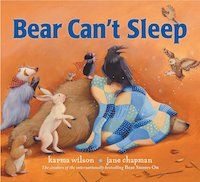
3) Bear can't Sleep/ Wilson. All of Wilson's books are excellent. This one , Bear is having trouble going to sleep for winter!

Bear Can't Sleep by Karma Wilson


4.Katy and the Big Snow/ Burton- What can I say? Students love to hear the story about Katy. The illustrations can be explored over and over.


5. Christmas at Long Pond/ George. This is another of my favorites to read. The illustrations are rich and the story is a simple one about going to cut down a Christmas tree.


Monday, December 14, 2020

The Girl Who Lived in a Shoe- Book Review

 The Girl who Lived in a Shoe ( and other torn up Tales) is an independently publication written by a group of authors. ( L Smith,  B. Seward, M. Rietz, J. Quist  , & B. Warren) They are actually a writer's group who collaborated to produce this body of work.

   The book is written at a 2nd / 3 rd grade reading level. But it could be used with other grades also. The stories are updated and fractured for the 21st century. Students will love them!! 

   Each author  takes a fairy tale and makes it her own. The stories are geared for today's students  and beyond. Each story is catchy and invites student discussion and engagement.

 My personal favorite story is Rita Van Winkle ( Loreley Smith) and Tara and the Wolf ( Jesse Quist). They are fractured but still retain enough of the original story.  They have updated and unique items incorporated into the stories.

 The illustrations are also unique.. The authors used torn paper to build the illustrations which are extremely well done and very appropriate. On the verso, they also provide a link for free printable activities and information about creating  your own torn up tales, which is great in these times of virtual lessons/

 The book can be found on Amazon. This would be a great addition when you are introducing fairy tales and fractured fairy takes to students . It can be used for 2 and 3rd grades , which is when I introduce both, But I can also see it used in the upper grades!  It would work well  up to Middle school and could be a story starers  for student writers to produce their own , just to analyze differences and similarities , or just enjoy!


Wednesday, November 25, 2020

Librarians- 5 things to do in December

These are a few things I think are good to do during the month of December.
1) Thank/ show appreciation for your staff/ volunteers/ student helpers. You have made this far in then year with a little help from your "friends".  So give a small gift or card. When I had lots  of volunteers ( and a little paid staff) I held a volunteer "tea"  with cold drinks and homemade fruit breads. Do a little speech about how much you appreciate their help and then socialize!

2) Touch base with your administration, especially if  you do not get chances to update them on what is going on in the Library Media Center. I always did a monthly report ( more on that in The Organized Librarian) but I found that most of the time , the report was just filed and not really read.So catch up with them and maker them aware of all you are doing.

3) Check your supplies to see if something is needed.Do this especially if your budget funds must be spent before the end of the year. Order what you need or are low on,

4)  Many times ,this is a slow time of year, when students and staff are winding down for holidays and vacations, Send out some PR  and remind then of how you can help them with resources, activities and lessons.

5) Planning time- if your patrons/ students/ teachers  have few demands, use your time to prepare for January and the rest of the year, Check journals, online resources, and blogs for some new ideas that will draw interest in useing the library and all its resrouces.

Monday, November 16, 2020

Library bulletin boards for December

    December is almost around the corner so it is time to start thinking of new bulletin boards. I like to plan ahead so I start now to figure out what I will put up.  I usually keep my bulletin boards from year to year, So many times I can just pull on out  and put it up. I do not put the same one up each year- I alternate.


  December Bulletin Boards Slogans

Seasons Readings - Put a wreath in the middle with students favorites all around. I use scanned covers.

LOL- Place large letters in the center, Place names or covers of books jokes and riddles.

 Mittens-  make large mittens out of construction paper, Have students write their favorite books on the mitten. Slogan: Keep Warm With Great Books

Battle of the Books: Place  photos of teams on the board with Team names and date of competition.

Books Are Gifts You Give Yourselves. 

Thursday, October 1, 2020

Books on explaining death to young children

 We had a rough week last week. Family friends of ours lost their young daughter at the age of 14 month. The young mother said that her youngest son who is about 3  years old didn't have a clue what was going on.

So I was trying to remember what books on death of a family member or pet would be good for that age group.

1. I miss you/ Pat Thomas. This book explains that  death is natural and that feeling  grief and loss are feelings that  you may have. As a counselor and psychotherapist, Thomas  brings a simple story line  for ages 3-6 that is easy to understand.


2. Ida Always/ Carson Levine. A story of two polar bears, Gus and Ida. Ida becomes sick with an illness.

She can't seem to get well, and she later dies. Again told in simple language that is easy to understand.


3. Badgers Parting Gifts/Varely .  This is another outstanding book that can be used for a death in the family, both human or animal. The woodland animals are all sad when their friend  Badger dies. They loved him, Then they talk about different memories they had with him and of him , and they all feel better.


        4. I'll always love you/ Wihelm. Elfie , a dachshund, has a special boy who loves him and spends a lot of time with him. But one morning  Elfie does not wake up. Again a simple story designed too help young ones understand death of someone you love.


Thursday, September 17, 2020

National Literacy Month- September

 September is National Literacy Month. You can challenge your  students and  patrons , young and old,  to go to the library and pick a great book to read.

 Parents, teachers, and librarian  can encourage making  reading part of daily life. You can also tell stories, talk to students about their favorite books, take them to the library or book store to get books. Every ordering online will encourage students 

 Some other ideas:  Read to you children/ students. Volunteer to read to grand kids, school kids, or neighbors.

  You can donate books that you have already read.

   Here is a website that you might checkout. 

     https://www.theliteracybug.com/

Sunday, August 16, 2020

Library Bulletin Boards for September

Yes I know many of  you are back in school already and probably have your "Welcome back" bulletin boards already up. We go  back  the first week in September!
 I will put up  one of the following. When I make a bulletin board I always take a photo and keep the pieces in a homemade  folder.

Fall in Love with Reading

Leaf though a Good Book

Fall in love with  your library

Rake in a good read

Welcome Back - The books missed you!

All of these can be done with a simple background,  a tree, and some leaves!


Tuesday, August 11, 2020

Library ideas for back to school!

   How can we help students this fall in the library? What if the library is not accessible?  


First of all Encourgare reading and learning

1. If students can not come to the library for books that consider "curbside Pickup" or "Delivery".

     Do a video / zoom ( YouTube or something your school uses)  and explain to student how to do holds on your computer system. Then staff can handle materials  , get them delivered or have them picked up bu the students. 

    Develop a system also ( and explain it ) on how to do returns  to make sure the student knows what to do, 

  ( Make sure teachers and staff also know how to request materials) Do this even if you  open so that if students are really busy they can still get books and resources)


2. Do read alouds. Again if you cant do this in person, set up a video / zoom/ google meet or whatever works . Take time at the end of discuss the book  Set up a program where students can  answer questions or further discuss the book.

3, Promote digital books that you have in the library system. Promote Digital book sites  that have free online reading,   Promote digital resources that you have for classroom use.  Put it on your website, and promote with flyers or anyway you can. 

Getting your teachers to buy into this will help  and give you time to advance the library!


Tuesday, July 28, 2020

Free Library Lesson- Moe Willems

 Moe Willems gas been a delightful contributor to the world off children's books. He combines  simple drawings , engaging character,s and funny situations to pull children into  reading, We all know the Pigeon books, and they are unique.  series. Again  Moe  uses dialogue and interesting  yet familiar. situations to move the story  along.

  I happen to love The Piggie and Elephant series. Again, Moe uses dialogue and funny situations to move the story along.

Go to Moe's website and  you can find his Bio and some activities to go along with his books.
http://mowillems.com

Two of my Favorites and somethings to do with them.
We are in a Book

  1. Have students make a book with pictures .( drawn or cut out from old magazines). Have students identify each one with word bubbles.

 2. Make a book with two characters telling jokes . This could be a class activities with each student doing one page, illustrating it and writing word bubbles. Put the book together as as class book.

The Thank You Book
Students can make a class book or individual book of  what  they are thankful for. They can describe it in word bubbles.(Think November)

Tuesday, July 21, 2020

Making your teaching more student centered-2

  Here are a couple of more ideas for creating more student centered learning. This is not an easy task but it is so worth while to get the students engaged and involved their learning,

  1- Design more active practice  of skills and lessons that the students need .Provide more opportunities for students  to engage with materials and activities. This will ensure that students retain information  and be able to use then skill/ information a new context. If you use guided practice and provide feedback, this will also lead to student centered learning.

  2-Reveal your practices and processes  when discussing an assignment or project. Talk about your approach and share how you choose a topic. Acknowledge that are many possibilities for solving a problem.

Monday, July 13, 2020

Great read!

  Marie Benedict has done it again. In Lady Clementine,  we learn about Winston Churchill's wife, and right hand ad visor. Benedict brings Clementine to life with her extensive research. We learn about her younger years and the years she was a helpmate to Churchill.
   All the characters come alive , you feel like you belong to the Churchill family. The details about the fashion, food ,and wartime activities are skillfully interwoven to make a wonderful story!  The writing is absolutely fascinating.
  I have also read  The Other Einstein and  Carnegie's Maid which were  equally  entertaining and  interesting.

Tuesday, June 30, 2020

Making your teaching more student centered

As you thinking about back to school ( hopefully) , we can be strive to have our classes and lessons more student/learner centered. In my reading, I have come across some ideas that may help,
  1. Explain to students why you are doing things. Share with them why you are asking the students to learn a skill, perform a task,or complete an activity. Emphasize why it is important and worthwhile.

2. Eliminate should or ought. Appeal to the students/ learning. Appeal to the learners autonomy / or inner motivation. Appeal to their interests and passions instead of using controlling language.
Change your language to incorporate the student ideas. This will take time and effort but will result in better communication.

3. Do less in a lesson!  Students can only process a limited amount of information at once. So plan on fewer  learning outcomes. And then provide more active practice on the learning outcome. Give more time to each essential outcome.

Thursday, June 25, 2020

Do you know The Fussy Librarian?

  I only just discovered this and I am thinking it will be a great source for eBooks. Best part of this - the eBooks are free ( or very low cost)!!
  If you go to the Fussy Librarian  (  https://www.thefussylibrarian.com/   )   and sign up ,  you can get a daily email with the latest  free eBooks for your Kindle, Nook, Apple or google play reader!
  There are listings for both adult, children/ middle grades and non-fiction categorizes.
Each listing shows the cover and also gives a short summary/ synopsis of the work.,
   You can get the full listing or you can customize it to the genres you like to read. If you don't want daily emails , you can tell it when  and how often you want to receive the listing of free eBooks.
Check this out if you like to do eBooks! The site also as articles for readers and authors that are informative and interesting.

Tuesday, June 9, 2020

Using Common Sense Media

Check out Common Sense  media for your remote  learning!  Or just to use for your informational /Digital literacy classes!   There is a lot of resources for librarians and tech teachers .

 First of all they have a new guide to Google  Classroom.

 There are Classroom Management   articles:
      How to find great resources.
     Guide to teaching  with Technology
     Classroom Management Tools
      Kick off the school year with interest driven projects

 Under ED Tech
      Using video for Project Based learning
       Using Video to collaborate on Project Based learning

Finally: Basic tools for Virtual and Distance learning

I  hope some of these will be helpful for you!

Wednesday, May 20, 2020

Brain Pop- site for remote learning/ Google Classroom

  Brain Pop is another tool I have used to add to my Google classroom. There are many activities lessons, videos, games, and quizzes that go along with my 7th grade Information Literacy Curriculum
  If you have this available in your district , I urge you to check it out and see what you can use for your remote learning.
  Some of the lessons I have used are the following:

Tech: Cyber bulling, digital animation, social media

Computer Sciences: 3d printing,computer history, Internet, hackers

Digital Citizenship: I have used most of these units which are excellent
.
English: Famous authors & books, Study & Reading Skills, Writing / Book reports ,Citing sources, copyright , fact & opinion

Each unit has a video,a quiz, related readings, and other activities.

Brain Pop is a very helpful source that will engage students and support teaching and leaning,
There is also a BrainPop Jr for students in grades k- 3.

Tuesday, May 12, 2020

NSteens.org- add to your Google Classroom for Remote learning

   https://www.nsteens.org/ is another site I use to teach Middle school  internet safety and digital  literacy.There are engaging videos that students will be able to watch and learn  about many facets of internet safety. Six Degrees of Information and Friend or Fake are ones I usually begin with. A few more to consider are cyber bullying and Meeting on line.

  There are games for students to 'play'. I like the Website Warrior one for a beginning lesson
Quizzes are also included-What type of Internet user are you? is always included on my Google Classroom.

  Students also like to look at the comics and the bios of the characters in the videos and games.

Wednesday, May 6, 2020

Typing.com/ Using Google Classroom for remote learning

  On my Google Classroom platform, I also have some typing lessons, games, and activities  that I assign to the student.  I want them to type correctly and this gives them practice.
  Typing.com is one site that I use. There are  videos, lessons, and typing tests. With three lessons, the students can advance quickly.
   There is keyboarding practice with reinforcement and stories for students to type. You can link this up to your google classroom which makes life really easy.
   There are some new additions that are also exciting.  There is a Tech readiness section  career prep. and Coding Essentials. This brings many great lessons to you already prepped and can be added to Google Classroom.

Tuesday, April 28, 2020

Common Sense Media/ Using Google Classroom for remote learning

   If you are using Google Classroom for your online learning platform, there are a lot of assignments, activities , and games that you can add for your students.

  For instance, thank about what you want student to do/learn, or what skills you want them to master.  I have used Common Sense Media for digital literacy for middle school because that is what I was asked to concentrate on media literacy and  information skills.

   When   you sign in as an educator you get access to free lessons with lots of options. I have used parts of this and added assignments to the google classroom.  There are videos, games, lesson slides, and work/ thinking sheets. You can them track student use and do grades if you need to.

  Another time I will discuss some other items that I have used in my Google Classroom,
What do you have on your Google classroom? How do  you use yours?

Thursday, April 16, 2020

Virtual Library page-Links for your library page!

 Here are few more freebies that you can use on  your library page-


  Capstone interactive- free for students to use during school closures.  PebbleGo is  designed for K-3 students.  This site is packed with informational articles, ready-made activities, and literacy supports for all students


https://pebblego.com/free-pebblego-capstone-interactive-access-school-closu

Buncee -  You can get remote access during school closures to Buncee . And there is lots of activities and ideas  for lessons for your students. There are ideas for remote learning- check this out! There are webinars for teachers.


https://www.remotelearning.buncee.com/?utm_source=banner&utm_medium=buncee&utm_campaign=rl2020site

Tuesday, March 31, 2020

More links to put on your Library page for at home learning!

 Here are a few more  links to consider putting on  your library page for students. You may also want to let your teachers know about some of these also.

   Ranger Rick. org- lots of fun things to read about and things to do!

   https://rangerrick.org/


  Kids Scholastic-  Read, Make Comics, and play games

   https://kids.scholastic.com/kids/home/


 Virtual School Activities-   This has many links to live webcams, virtual tours, and many educational sites.  Check this out and select some great links for your students!

  https://virtualschoolactivities.com/

Wednesday, March 18, 2020

Librarians! Ramp up your websites!/ coronavirus

    If your library has been closed  like the ones in my area ( NY/ PA/ CT, )  we need to  keep our  web pages  up to date and  full of resources they can use during this Coronavirus pandemic.  We  really need to ramp up our web sites so that we can continue  services  to out patrons .  I am going to look back at some past posts , library websites that I use, and will continue to search for ideas and sites that can be put on our  pages to help our patrons.
  This will be a good way to show all the resources that librarians and library's provide for students and patrons.  I am praying that this whole pandemic does not last to long , but we won't know til it over until it is over. Keep safe every one, and check back here for some sites and tools for your library pages.
  

Tuesday, March 10, 2020

All students Need Great School Libraries

All students Need Great School Libraries


https://www.youtube.com/watch?v=cQ3b2-9dbb4

  Watch this video!  It has some excellent talking points . And some ideas you can use in defense of school librarians and libraries.  Let me know what you think!

Tuesday, March 3, 2020

Abby the Librarian

   I keep finding different websites for librarians and just want to share  in case you have not  found then yourselves. Abbythelibraian  is a great site for librarians ( school & Public) who do preschool or Kindergarten lessons or sessions.
    There are routinely Picture book Roundups which I love! She gives us brief summaries and also shows the cover. So if you are looking for  recommendations for new books you will be pleased. Some of the titles are brand new or soon to be released.
   She also gives short reviews of new books for elementary / middle school students . Again a big help for your collection development. She also gives book recommendations for special days and seasons.
   There are several other advantages to this site. Abby gives ideas for programs for preschool/ kindergarten and family reading. So if you need ideas  for story times this is a good place to check out.n There is a link on her site that gives themes    and book lists to go with them.

Tuesday, February 25, 2020

Read Across America Day/ week

I read this on the Future Ready Librarians Facebook and thought it was a great idea,   I took the main idea and lent some titles that I thought would work. Use these ideas or come up with some of your favoites!

Day 1: Books about Families
         Three days oh a river in a red canoe/ Williams
          In our mother's house/ Polacco
          Tell me again about the night I was born/  Curb

Day 2: Books about taking action
         The Giving Tree/ Silverstein
          Boxes for Katje/ Flemming
           One Plastic bag/ Paul
           Stick & Stone/ Ferry

Day 3: Read a silly story
      Horton Hatches an egg/ Seuss
       Don't let the Pigeon drive the Bus/ Willems
      Any book by Jan Klassen

 Day 4:  Books about different cultures
     Brown Girl dreaming/ Woodson
     Boy who harnessed the wind/ Kamkwamba
     Goal/ Taylor
     House that Baba built/ Young

Day 5: Books about Famous People
      Abe Lincoln the boy who loved books/ Winters
     The story of Ruby Bridges/ Coles
    Let the Children march/ Clark- Robinson
    Inventors who changed the world/ Poelman


Day 5 : Books about famous people.

Sunday, February 23, 2020

Library Bulletin Boards for March

March is almost here .  So is Spring!  I can't wait.  
So let's see what we can do to highlight during those days!

 Spring into Reading- Flowers, insects, book jackets with titles of spring like books,

 St. Patrick's Day-  Every Day is a lucky day for reading.
                               Reading is Golden
                               Books to Treasure


Fly high With Reading- kites with book titles blowing in the sky

 Catch the reading Bug!

March- Women's History Month

Dr. Seuss- Read Across America

Bike into Books! Bike scene with book titles around

Tuesday, February 18, 2020

Why students need a librarian- Pt 2

   Here are a few more reasons why students need you ( the librarian) to help them in their school careers These are good talking points if you need to defend your position in your school.

   1. Librarians teach students how to evaluate the information they find on the internet. Is is authoritative? Is it up to date? Students  are offered areas to look for in order for them to be sure the site is reliable.

   2. Librarians plan lessons to instruct students how to devise different questions so they can find answered  . There are fat and thin questions, they are open and closed questions. Then librarian can help students learn the difference and then how to construct them,

  3. Librarians can recommend books  to suit readers interests  and levels.  The librarian can provide students  book sites and blog where students can look for new and interesting titles

Tuesday, February 11, 2020

Why students need a librarian

   If you need to defend your position there are lots of resources that you will find. But much of why students need librarians is basic , so here a few to think about and add to your list.
   1) Librarians provide materials matched to student learning styles and abilities.  There are print, on line and audio resources. Many of the online and audio can be adapted to student levels. Some can provide sources that can be read aloud to students,

  2) The library website  ( provided & maintained by librarians) offers 24/7 access to the online catalog and electronic resources, databases and lists of curated sites  for specific projects.

 3) The Librarian and the library provides information that is carefully selected and  appropriate for students learning needs and projects.

  Use these as needed. In future posts , I 'll add a few more reasons why students need a library and a librarian.

Tuesday, February 4, 2020

Noodle tools / citation builder

      If you have an active library page and a citation program, make sure to put a link to it on your page. Then be sure the link works.
     Your next goal is to provide instruction the use of your citation program. Connect with your staff and students to show them where the link is. Offer to teach the students how to use the program. Every time you get in front of a group of students and staff, remind them of the link to the builder that is on the library page.
    We use Noodletools so I developed a mini lesson to instruct the students and staff . I also devised a cheat sheet to back up my instructions. This sheet is a hand out for students, which they can refer to for help after the lesson is over,
  

Monday, January 27, 2020

Library Bulletin Boards for February

Now it is time to think about February and what to do about the bulletin boards.   Here are some ideas :

We love to Read!- Give pink or red hearts  to students and have the write their favorite books. Students can write I Love...   and give the title and their name. Place on BB with letters of slogan on top in black letters - Can use a light background and heart /scallop edges.

Black History Month- Place pictures of famous African Americans . You can number them, Give some clues under each one. Students can use references or online sources to find out . Students can give guesses in to you- At the end of the month, place names under each one.

Tech tie in- Tweet a sweet Book! Give students an enlarged note. Place a cute bird on each side of the BB- Students can write their favorite titles on each note and then placed on the BB.

Presidents Day- You  can do this similar to Black History Month.( Use presidents that students do not know) Or you could place some presidents  and have students find little know facts on each person.

Fiction to Film: Scan covers of books that you have in your library that have been made into movies.  Place the slogan in the middle and the covers around. A slogan to add  would be: Have you read these?

Tuesday, January 21, 2020

Update your library web page!

  How often do you update your library page? What exactly should you update?

  1.If you do a lot of collaboration with teachers and student then you need to do quite a bit. Whenever you work with students, try to add/ edit a livebinder or a curated list of sites for them to use.

 2, Update links/ websites for students to use in projects - check links to be sure they are working and up to date.( eliminate old ones and look for new ones)

 3. Additional resources- add links for staff to use for their information , or teaching resources

 4. Add your newsletter if you do one.

 5. Add Book recommendations ( what the librarian is reading - or have kids do this with reviews

 6. Information about what is happening at the library

 7. Publicize new resources

 8. Add links for student recommendations   to books if you have a section on that.

Tuesday, January 14, 2020

Quotes about Libraries!

I love to search out quotes about books and libraries.  Here  are just a few of my favorites!

 "Books are the mirrors of the Soul." V Woof

 " A library doesn't need windows, a library is a window." Steward Brand

 "We may sit in our library and yet be in all the quarters of the earth." John Lubback

  " Libraries change lives for the better." Sidney Sheldon

   " When in doubt, go to the library." ( Ron) J.K.Rowling

  "A library could show you everything, if you know where to look" Pat Conroy

   'There's a magical place, called a library." Moria Fowley Doyle

   " All that is necessary for a student is access to a library." Thomas Jefferson


    So what do I do with these? I might add them to my signature line in my emails. ( I like to change mine a lot).  I make up posters with the sayings and fit them on the walls of the library  or in the stacks and in the halls at different spots.   Sometimes I put them on information sheets or work sheets for both students and teachers.  I might include them in my monthly newsletter.  And then I change them whenever I come with more library/ book quotes!

Thursday, January 9, 2020

A Book and A hug- Great site

   This is a great site  ( A book and a hug) . If  you haven't seen this site yet , check it out. I think you will be impressed. I only just discovered it and I am loving it!
    First of all you can search for books to read  by author , title and  Everything! There is also an advanced search tab- like category, reading/ age level, and reader personality type and other additional options.
  Students can take a reader personality type to determine what type of reader they are. There are basic and advanced tests.
   Up at the top there are tabs: Books by category, read alouds, authors, lesson plans and a blog. Barbara Langridge  is the creator of the site. She is also a speakers about books and librarians. Barb was a former librarians and book store owner , so she has the experience of a book lover. Her goal is to create readers, and connect students with books.
  At the bottom of the site, there are more links. My favorite is the " If you liked, then you'll like" a great tool for students!

Wednesday, December 18, 2019

Library Bulletin Boards for January

What bulletin boards will I put up in January? I always try to think ahead and get ready for the next month.  I didn't this time. So here are some ideas that I have used or thought of to use in January.
 
    Let's read til we get snowed under-  snowflakes with book titles in the center. Blue sky in background. Bottom can be a silhouette of the town or school building.

   Sink into winter reading-  student/ teacher in a cozy chair reading, book jackets surrounded the chair.

   Hibernate with a good book- bears reading ( in a cave or in the snow)

  "READBOX"-  a redbox( movie rental)  with titles around that align with popular movies